A free 70,000-book library on your old Kindle
Project Gutenberg and Standard Ebooks give you a lifetime of legal, DRM-free, beautifully typeset classics — and you don’t need Amazon, a jailbreak, or any money to load them.
Easy Free guide
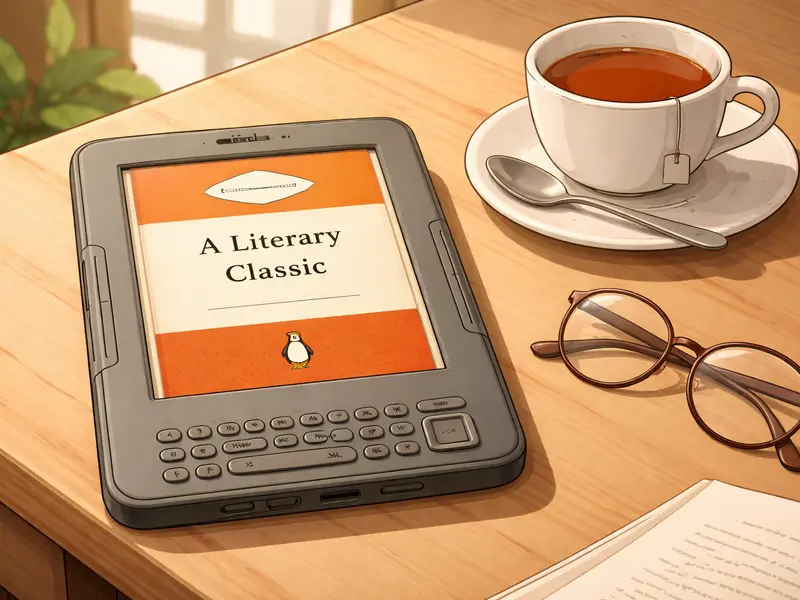
Of all the things to do with an old Kindle after 20 May 2026, this is the one that takes the least effort and gives you the most in return: keep using it as a reader, but with a library of over 70,000 free classic books that will outlast any commercial store cutoff Amazon ever makes. No jailbreak, no risk, no technical wizardry — just a USB cable and half an hour of setup.
Two open libraries make this worth doing:
- Project Gutenberg — the oldest open ebook project, founded in 1971. Contains over 70,000 free titles in the public domain, including almost every major English-language classic and thousands of important works in French, German, Spanish, Italian, Portuguese, Russian, Chinese, and Arabic. Everything is legal, everything is free, everything is yours to keep forever.
- Standard Ebooks — a newer project that takes Project Gutenberg source files and produces carefully typeset, corrected, and beautifully formatted editions of the same books. Think “the Penguin Classics of the free ebook world”. Fewer titles — around 1,200 at time of writing — but every one is a proper piece of work. If you’ve ever been put off a Gutenberg download because of odd formatting, Standard Ebooks is the answer.
Between them, you’ll never run out of things to read.
What the finished thing looks like
Your old Kindle, unmodified, unjailbroken, with a home screen full of books you’ve chosen yourself. Dickens, Austen, Conan Doyle, Wilde, Verne, Tolstoy, Woolf, Hardy, Trollope, Dumas. Poems by Tennyson, Shakespeare’s complete works, Plato’s dialogues. Plus whatever obscure interests you have — Gutenberg has the memoirs of Victorian mountaineers, the logbooks of Antarctic expeditions, and almost every Agatha Christie you’d recognise.
The Kindle reads them exactly as it would read any Amazon-bought book. The reading experience is the same. Your page-turn buttons work, highlights work, bookmarks work, whispersync doesn’t work (because Amazon isn’t involved) and that’s the only noticeable difference.
What you’ll need
- Your affected Kindle, working and charged.
- A micro-USB cable (the one you charge it with).
- A computer with Calibre installed — free and open-source.
- A few minutes to browse and download books from Project Gutenberg or Standard Ebooks.
That’s the whole list. No jailbreak. No API keys. No server setup. Nothing to subscribe to. Nothing to pay.
How it works, step by step
- Install Calibre on your computer.
- Go to standardebooks.org or gutenberg.org, find a book you want, and download the EPUB version. EPUB is the standard ebook format and works well with Calibre.
- Drag the downloaded EPUB file into Calibre’s library window. Calibre adds the book to its library.
- Plug the Kindle into the computer via USB. Calibre recognises it automatically.
- Right-click the book in Calibre and choose “Send to device”. Calibre converts the EPUB to the Kindle’s AZW3 format automatically and copies it across.
- Unplug the Kindle. The book appears on the home screen like any other.
You can do this for one book or for a hundred in a single batch — Calibre handles either cheerfully. Once you know the routine it takes about thirty seconds per book.
Which books should you start with?
If you’re not sure where to begin, a painless first batch:
- Sherlock Holmes: The Adventures of Sherlock Holmes and The Memoirs of Sherlock Holmes by Arthur Conan Doyle — short stories, perfect for the format.
- Pride and Prejudice by Jane Austen — the Standard Ebooks edition is exquisitely typeset.
- The Picture of Dorian Gray by Oscar Wilde — short enough for a weekend, sharp enough to stay with you.
- Around the World in Eighty Days by Jules Verne.
- The Time Machine by H. G. Wells.
- The Turn of the Screw by Henry James.
- Any Agatha Christie that’s in the public domain — rights vary by jurisdiction, so Gutenberg will tell you what’s available for your country.
All of these are free. All of these are legal. All of these will still be on your Kindle the day after 20 May 2026.
Gotchas and honest notes
This works even after 20 May 2026, and even if you haven’t jailbroken
Sideloading via USB is the one thing Amazon has never touched. The 26 February 2025 “Download & Transfer” removal was a different feature on the amazon.co.uk website; it had nothing to do with the Calibre + USB path described here. As long as the Kindle still powers on and is recognised as a USB drive, this method will keep working indefinitely.
- Public domain varies by country. Gutenberg has different editions available in the US vs the UK vs the rest of the world. Gutenberg’s site shows you which ones are clear in your jurisdiction. Standard Ebooks typesets only US-public-domain works, but most of those are also free in the UK for pre-1928 material.
- EPUB to Kindle conversion is lossy for heavy formatting. For prose novels and short stories this doesn’t matter. For books with lots of tables, footnotes, or unusual layout (technical manuals, poetry anthologies, annotated editions), the conversion can look odd. Check each book after it lands on the device.
- Covers may not come across. Some EPUBs lack embedded cover images. Calibre can generate or import covers if you want them.
- You cannot accidentally break this. Sideloading a book over USB cannot damage the Kindle, cannot consume any cloud storage, and cannot interfere with your Amazon library. If something goes wrong, unplug and try again.
Once you’re comfortable with Calibre
Calibre does much more than “send books to Kindle”. It’s a full library manager. Some features worth exploring once you’ve loaded the first batch:
- Wireless content server. Calibre can serve your library over your home network, so the Kindle’s experimental browser can browse and download books without a cable.
- Metadata clean-up. Fix author names, titles, series information, and covers across your whole library.
- News downloads. Calibre can fetch news from hundreds of sources (BBC, Guardian, New York Times, Der Spiegel, etc.) and convert it to an ebook formatted for the Kindle. Sync overnight and read the morning paper on e-ink.
Where to go next
Start with standardebooks.org for the best-typeset free classics. Browse by genre or by author. Download one. Put it on your Kindle. The whole flow from “hadn’t heard of them” to “reading a free, beautifully typeset edition of Persuasion” takes about ten minutes.
The Old Kindle Survival Guide has a Calibre chapter with screenshots for every step, plus a pre-cutoff checklist covering the “make sure all your Amazon purchases are downloaded onto the device before 20 May” work, which is separate from this project and equally important.
Other projects you might like
- Weather dashboard — if you’d rather the Kindle show something functional
- Literary clock — for a clock that shows a quote from one of the 70,000 books you’ve just downloaded
- Smart home dashboard — if you want the more ambitious live-data project instead
Sources for this page: gutenberg.org (Project Gutenberg, 70,000+ free ebooks); standardebooks.org (Standard Ebooks, curated typeset editions); calibre-ebook.com. How-To Geek (8 April 2026) confirms sideloading remains unaffected by the 2026 cutoff. Not affiliated with Amazon, Project Gutenberg, or Standard Ebooks.