Turn your old Kindle into a weather station
Mount it on the wall. Feed it the forecast. Watch it run for weeks on a single charge.
Medium difficulty Free guide
One of the best things about an old Kindle is a pairing that looks accidental but turns out to be perfect for this job: an ultra-low-power e-ink screen with a battery designed to run for weeks between charges. Stand one on a shelf or hang one on a wall, point it at the weather forecast, and it becomes a dedicated display that barely sips power and never gives you notification overload.
The reference build for this project is by Hemant Kumar at TerminalBytes, later featured on the Adafruit blog. Hemant’s write-up uses a Paperwhite 7th generation, but the technique adapts cleanly to any jailbroken Kindle with the experimental browser enabled.
What the finished thing does
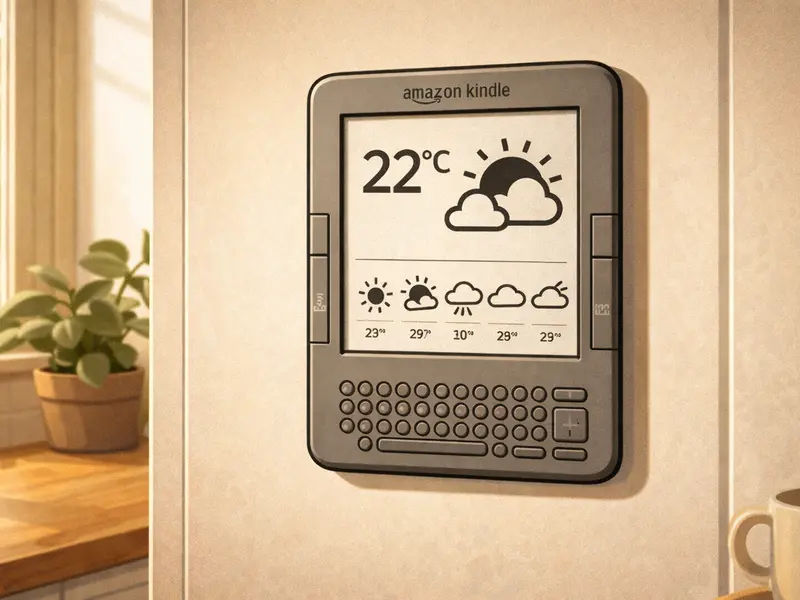
Every couple of hours the Kindle wakes up, connects to your WiFi, fetches a pre-rendered image of the current forecast from a small script you run at home, displays it, and goes back to sleep. Between wakeups the screen holds the image with literally zero power draw — that’s e-ink for you. On a reasonable battery, Hemant reports weeks of runtime per charge; other community builders report similar figures.
The forecast image can show whatever you want. Most builds show:
- Today’s current conditions and temperature in a big, readable font
- A 5-day forecast row with icons and daily highs/lows
- Sunrise and sunset times
- Optional: a wind arrow, a rain probability bar, a weather warning banner
Everything is black and white, high-contrast, perfect for e-ink. The result is a minimalist, paper-like weather display that costs nothing on top of the Kindle you already own.
What you’ll need
- An affected Kindle (Paperwhite 1st gen, Kindle Touch, or any other jailbreakable model — see the jailbreak section)
- A jailbreak. This is the prerequisite for almost every repurposing project. The community tool is WinterBreak, documented at kindlemodding.org.
- A computer or a Raspberry Pi to run the forecast-rendering script. Anything with Python will do.
- An API key from a weather provider. OpenWeatherMap’s free tier is the usual choice. Met Office DataPoint is a good UK-specific alternative.
- A wall mount or stand. You can buy a generic tablet wall mount for £5–£15 or 3D-print one designed for your specific Kindle model.
- A charging cable routed to the mount, or the discipline to take the Kindle down once a fortnight to plug it in.
How it works, at a high level
- On your computer or Raspberry Pi, a Python script fetches the current forecast from the weather API.
- The script renders the forecast into a PNG image sized to match the Kindle’s resolution (600×800 for older models, 758×1024 for newer ones).
- The image is saved to a folder that is served by a small local web server — or pushed to a public URL if you prefer.
- On the jailbroken Kindle, a cron-like script wakes the device every couple of hours, opens the experimental browser to the image URL (or uses
eips, the e-ink display tool, to draw the PNG directly), and goes back to sleep. - Repeat until the battery runs out — weeks later.
Builders split on whether to use the experimental browser or to draw directly to the framebuffer with eips. Browser mode is easier to set up; eips uses less power per refresh and looks crisper. Both work.
Which Kindle models does this work on?
Any Kindle that can be jailbroken with WinterBreak. That covers most of the 2012 affected list — Kindle Touch, Kindle Paperwhite 1st gen, Kindle Keyboard, Kindle 4, Kindle 5. The Kindle 1st and 2nd generations predate the 5.x firmware generation and are much harder to do this on; community support for those is limited.
Kindle Fire tablets are a different story — they have colour LCD screens and much higher power draw, so they don’t give you the “weeks of battery life” magic that makes this project attractive in the first place. Skip them for this use case.
Gotchas and honest notes
You still can’t factory-reset the device after 20 May 2026
This doesn’t matter on day one, but it matters a lot if something goes wrong later and the normal “Kindle support” advice you find online tells you to reset. Jailbreaking does not unlock the device’s registration; that’s a separate Amazon-side problem. If your weather dashboard breaks, you fix it by re-running the setup script, not by resetting the device.
- The refresh rate is not instant. Typical update interval is one to four hours. If you want a live-updating weather display you’re looking at an LCD, not an e-ink Kindle. This project is for people who actually want a glanceable, low-distraction view.
- Set up the renderer first, before you touch the Kindle. Get the Python script producing the PNG you want on your laptop first; the Kindle side is the easy half. Trying to debug both at once is misery.
- Power routing is the physical hardest bit. Wall-mounted Kindles look great when the cable is hidden. Hiding cables takes longer than the software.
- Don’t use this as the household’s only weather forecast for anything safety-critical. It’s a lovely ambient display; it is not a flood warning system.
Where to go next
Read Hemant’s full write-up at TerminalBytes. His article is the best single reference for this project and includes the Python rendering script, the Kindle-side automation, and the mounting considerations. The Adafruit summary covers the highlights if you want a shorter read.
If you’d prefer a single walkthrough that ties the jailbreak, the script setup, and the mounting together — plus troubleshooting for the common “it wakes up but doesn’t refresh” problem — the Old Kindle Survival Guide has a dedicated chapter on it.
Other projects you might like
- Smart home dashboard — a close cousin of this project if you’re running Home Assistant
- Literary clock — for a more whimsical always-on display
- Free 70,000-book library — if you decide you’d rather keep reading after all
Sources for this page: TerminalBytes — “Reviving my Kindle Paperwhite (7th Gen) as a Weather Dashboard” (Hemant Kumar, 8 Feb 2025); Adafruit Blog feature (20 Feb 2025); kindlemodding.org (jailbreak community reference). Not affiliated with Amazon.